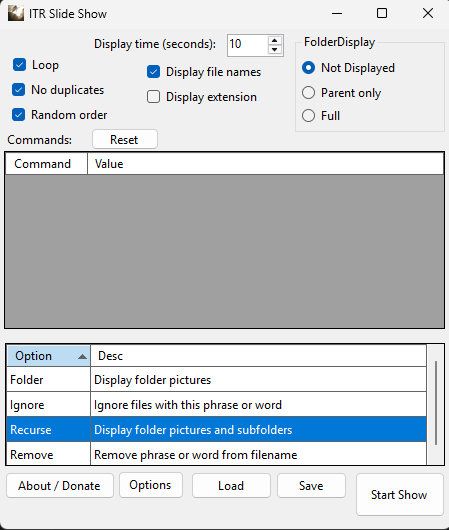
Basically you add commands (Folder, Recurse, Ignore or Remove) and start the show. You can also save your commands to a file that can be loaded at a later time. Most of the options are self-explanatory. To start the show press the Start Show button. To stop the show you can double click on the slide or press the Esc key.
Slides may be automatically rotated if they were taken on a device that saves the camera orientation. Many phones and Cameras can do this.